
It’s not a people problem that keeps us from running our business.
The inefficiency is an employee experience design issue.
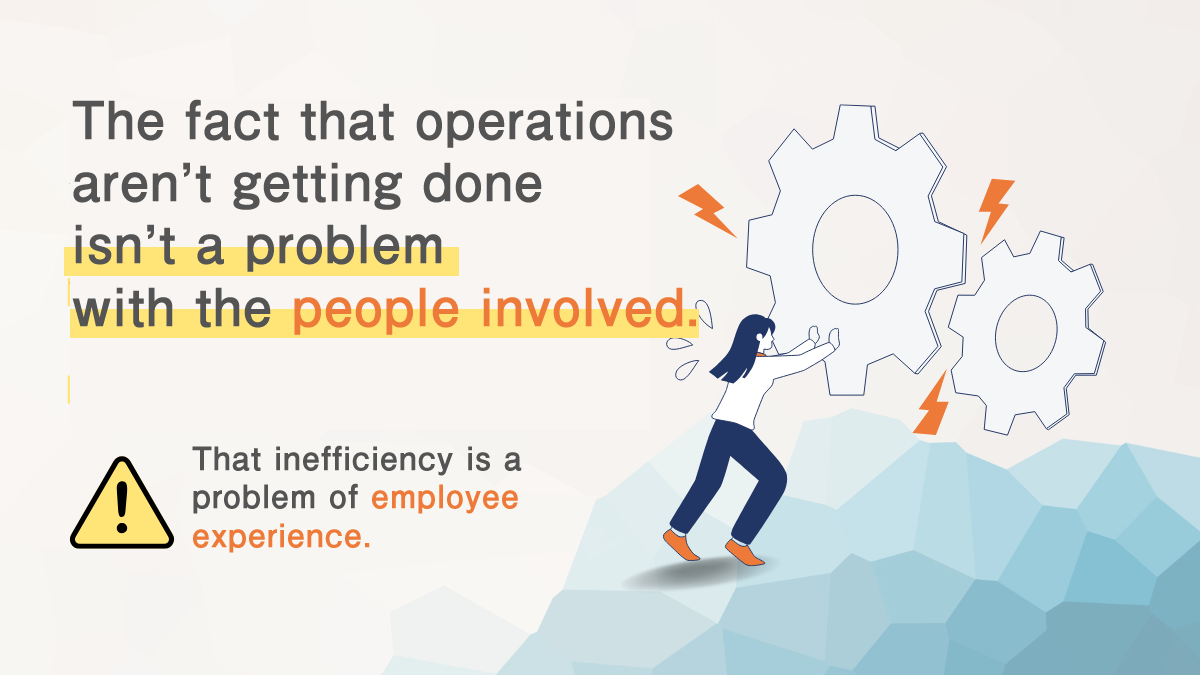
TDC Soft’s CX & UX design reviews the flow of work, the delivery of information, and the ease of decision making to design a system that “works”.
Are you in this situation?
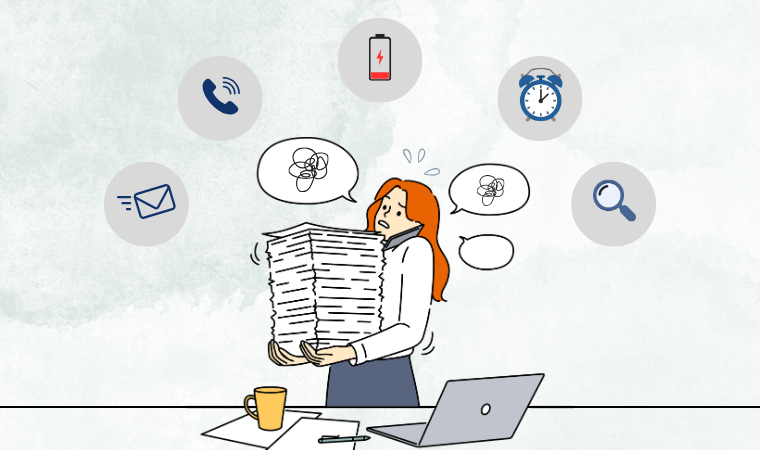
No progress without repeated confirmations by phone or email
Time-consuming handover and back-and-forth communication
Not knowing the latest version of documents and having to search for and recreate them
Not knowing the background of the work and having to ask “What happened in the end?”
Paper and Excel are left behind, and work stops when you are not at home or away.
All of this is not a matter of individual ability or effort.
This is due to the fact that the flow of work and information is not designed as an experience.
Ability to design CX & UX for TDC Soft.
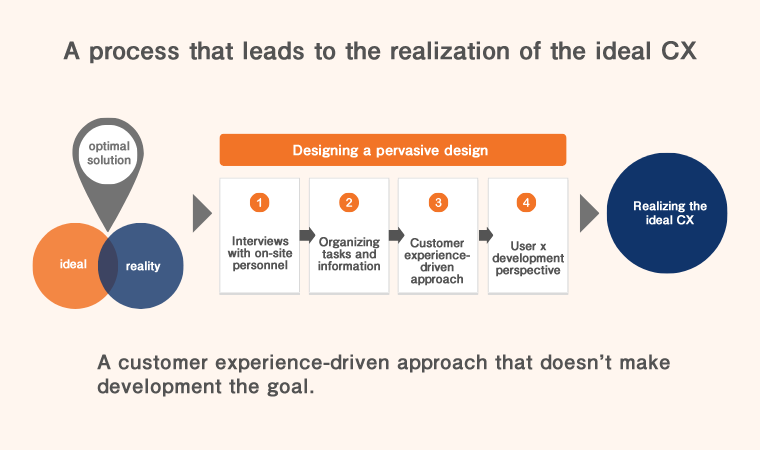
Pursuing ideals and reality. Realization of CX as it should be.
Pursuing the ideal customer experience while ensuring feasibility for real use in the field.
We balance both design and development to find the “optimal solution between ideal and reality.
Development is not the goal.
If the system lacks the user’s point of view, it will be difficult to operate and cause dissatisfaction, resulting in a system that will not be used and will not take root in the field.
We do not see development as a goal, but rather as a way to organize the flow of business and information, to see how it is used, and to nurture the form with the customer experience as the starting point.
Designing a design that permeates
Through on-site interviews and business observations, we organize from the viewpoints of both users and developers while looking at actual business operations.
TDC's UX DESIGN PROCESS
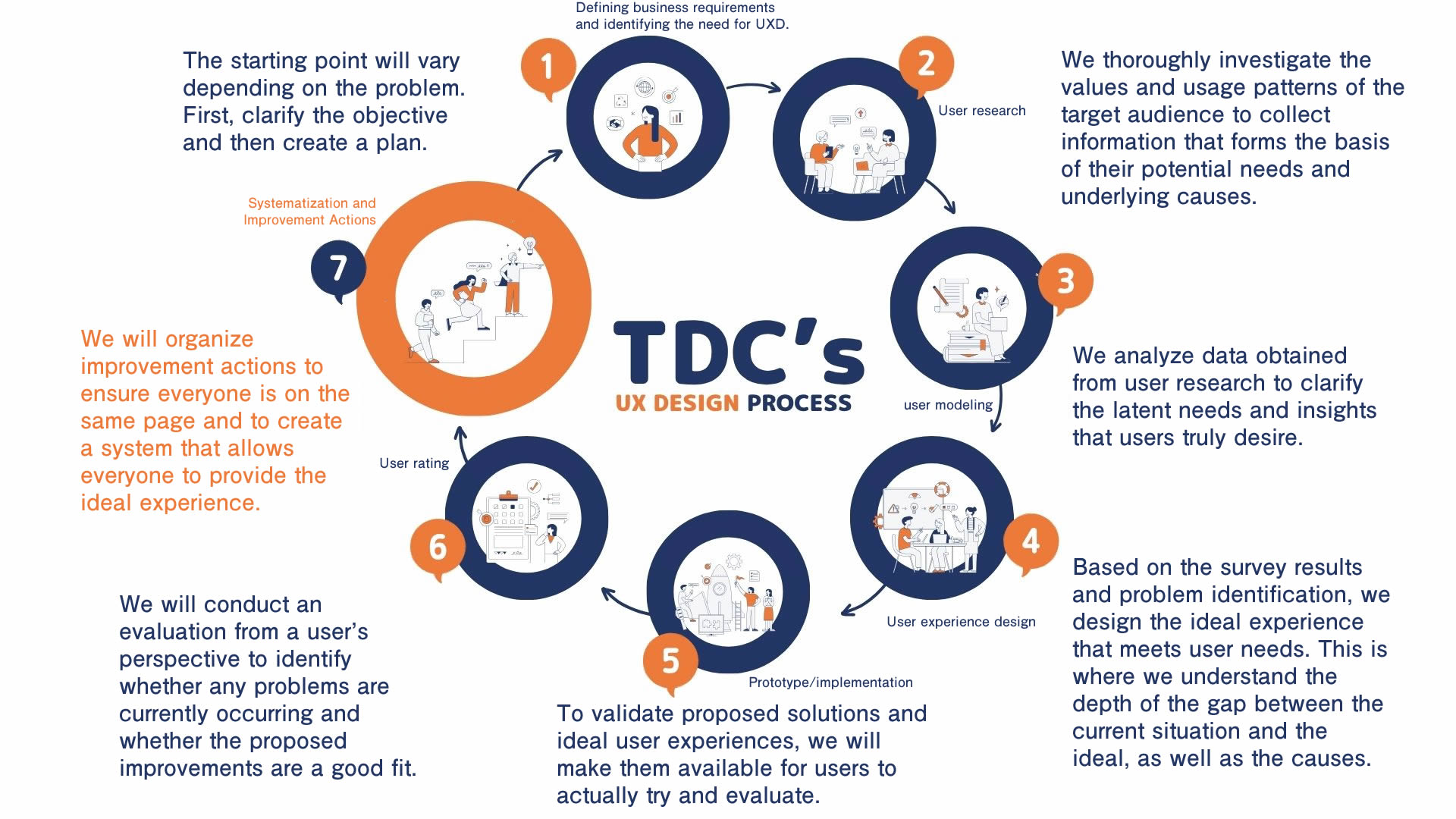
Step 1: Define business requirements and identify UXD needs
-
Organize areas of work that are clogged, wasteful, or impersonal.
-
Clarify the need for improvement, expected benefits, and value provided
-
Organize target tasks, related departments, constraints, and deadlines, and agree on a way forward.
-
Understand the structure, roles, and actual usage of existing systems and tools
-
Together, we will define the axis of improvement based on the ideals and direction of the site.
Step 2: User Survey
-
Understand the frustrations of those in charge, the criteria for decision making, and the reality of their innovations and practices.
-
Identify points where rework, duplication of effort, and inefficiencies occur
-
Identifying realities that cannot be seen in manuals and training programs
-
Understand usage, business conditions, and values
-
Explore latent needs and root causes
Step 3: User Modeling
-
Organize survey results by business unit and role
-
Structuring who needs what, when, and what they need
-
Visualization of gaps in perception by department and position
Step 4: User experience design
-
Define the ideal state in which operations run smoothly
-
Organize the gap between the current situation and
-
Redesign workflow including mechanisms, tools, and rules
-
Design the ideal experience based on analysis results
-
Overall design including system, operation, and rules
Step 5: Prototype and implementation
-
Create new workflow, screen plans, and post-introduction operational images
-
Conduct user verification in a manner similar to actual practice
Step 6: User Evaluation
-
Check for changes in workload, hesitation, and errors
-
Gathering information on usability and concerns from the field perspective
-
Verify whether operations actually turn around and reduce the burden
-
Identify problems and areas for improvement
-
Clarify issues to be addressed next
Step 7: Structuring and Kaizen Actions
-
Share decision criteria and ideas that should be standardized, and build a state in which improvements continue to be made.
-
Reflected in manuals and operational flow
-
Develop a system to ensure that improvements are not transitory
It started with this kind of consultation
case
UI/UX Kaizen on energy device control
REQUEST
We would like the company to improve the UI/UX of its internal systems related to energy device control and create design rules to enable the company to run its own systems. We also want you to share your UI/UX knowledge with your employees so that it can be used for other systems in the future. (Energy-related company)
APPROACH
1. Re-arrangement of provided value by UX design
We re-arranged the provided value from a UX perspective for a group of in-house systems related to energy device control. Based on the nature of the work and usage scenarios, we aimed for a state in which the value that users really need is delivered appropriately as a system.
2. Creation of design guidelines that can be used across systems
Created design guidelines that organized UI components and screen patterns for common use across multiple systems. A general-purpose template was developed that can be used for future modifications and new systems.
3. Sharing UI/UX knowledge for in-house self-driving
UI/UX training was conducted 4 times in total, and about 90% of the participants were satisfied with the results. In addition, we shared all the materials and deliverables from the review process, and supported the client to proceed with UI/UX improvement on their own in the future.
Support period: September 2024 – February 2025
Scale of operation: 1 full-time person to support 4.4 months (about 700 hours)
Support structure: 1 design lead and 2 designers
Design internalization support for food and beverage wholesaler
REQUEST
We want employees in the operations department to be able to draw their own vision of what they should be and move independently.
They need to think about the requirements themselves as a result of in-house production, but they are not able to envision the future of the business.
We want them to be able to review their operations from the perspective that employees themselves are the users. (Food and beverage wholesale related company)
APPROACH
1. Ideal Image Formulation Workshop
We held a total of five workshops on ideal image formulation so that employees in the operations department could formulate their own ideal image.
The goal was not to simply provide knowledge, but to provide a forum for discussion and organization using their own work as the subject matter, thereby motivating them to break away from dependence on manuals and to “think for themselves.
2. Accompanying support for the team to run on their own
In addition to reviewing the requirements document, we supported the implementation of usability testing and lectured on how to read and understand the results. In addition, the concept of prioritizing the resolution of identified issues was also shared. By providing support from both a practical and knowledgeable standpoint, the team was able to shift to a state in which they could run the project on their own, from requirements review to improvement decisions, from the perspective that the employees themselves were the users.
Support period: December 2022 – December 2025
Scale of operation: 1 full-time person to support 4.6 months (approx. 740 hours)
Support structure: 1 design lead and 1 designer